Waking at the end of a sleep cycle usually feels less groggy than waking mid-cycle. Give Sleep Schedule your bedtime or wake-up time, and it suggests times on those 90-minute boundaries. Set one as a real alarm on iPhone or Android in one tap.
Built on 90-minute sleep cyclesFour suggestions, every night
Recommended5 cycles · 7h 30m
Short night4 cycles · 6h
Very short3 cycles · 4h 30m
Extra rest7 cycles · 10h 30m
01 · How it works
Ninety minutes at a time.
Your body moves through sleep cycles that last about 90 minutes. Sleep Schedule counts them forward from now, or backward from your alarm, and adds the time you usually take to fall asleep. Five cycles is the recommended middle ground, four is a short night, three is very short, and seven is extra rest.
Cycle boundariesSleep runs in roughly 90-minute cycles. Waking at the end of one tends to feel easier than waking mid-cycle, so every suggestion lands on a boundary.
Your fall-asleep timeEach option adds the minutes you usually need to drift off, 15 by default, before the cycles begin. Change it once in Settings.
Honest estimatesCycle length varies between people and between nights, so treat every time as a planning estimate rather than a measurement.
A three-step startPlan, Choose, Set. The first run walks through both modes and the alarm. Skip it, or replay it any time from the help button.
Bedtime11:30PM
5 sleep cycles · 7h 30m
Wake up7:15AM
Includes 15 min to fall asleep
02 · Start with what you know
Bedtime or wake-up time. Either works.
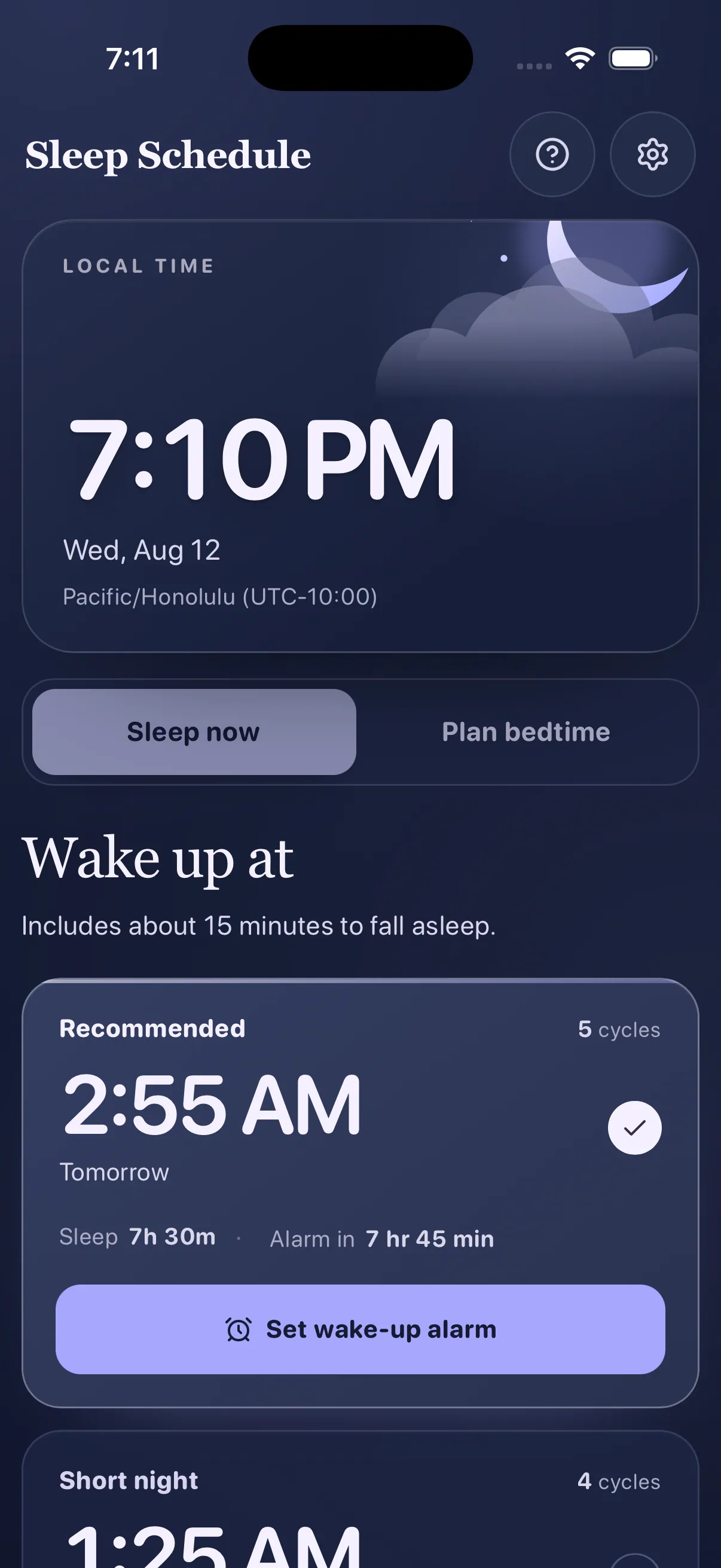
Going to sleep now? See the best times to wake up. Know when you have to be up? See when to go to bed. Both fit the time you have, ending at the edge of a sleep cycle instead of the middle.
Going to sleep now?Sleep now
The best times to wake up, from a short night to extra rest.
Now11:02 PM→Wake up at6:47 AM5 cycles · 7h 30m asleep · Alarm in 7 hr 45 min
Counted forward from right now, each at the end of a cycle.
Shows sleep length, alarm countdown, and Today or Tomorrow.
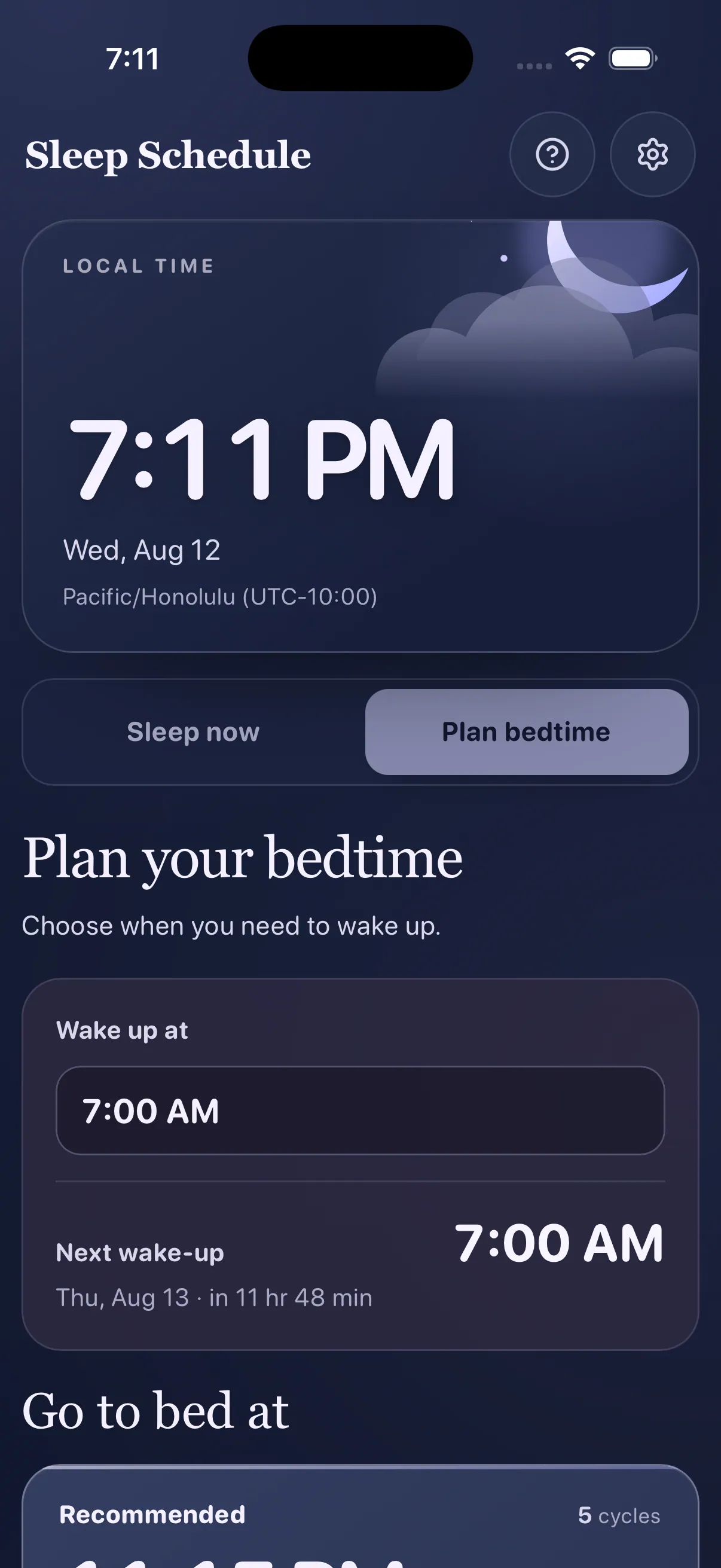
Know when you have to be up?Plan bedtime
The bedtimes that fit whole cycles into the night you have left.
Wake up at7:00 AM→In bed by11:15 PM5 cycles · 7h 30m asleep · 15 min to fall asleep
Counted backward from the next real occurrence of your wake-up time.
Bedtimes that have already passed drop out.
iPhone · Plan bedtime
03 · One tap to a real alarm
One button. A real alarm.
Pick a suggestion and tap Set wake-up alarm. On iPhone or Android, that one tap sets a real alarm on your phone.
iPhone · Alarm ringing
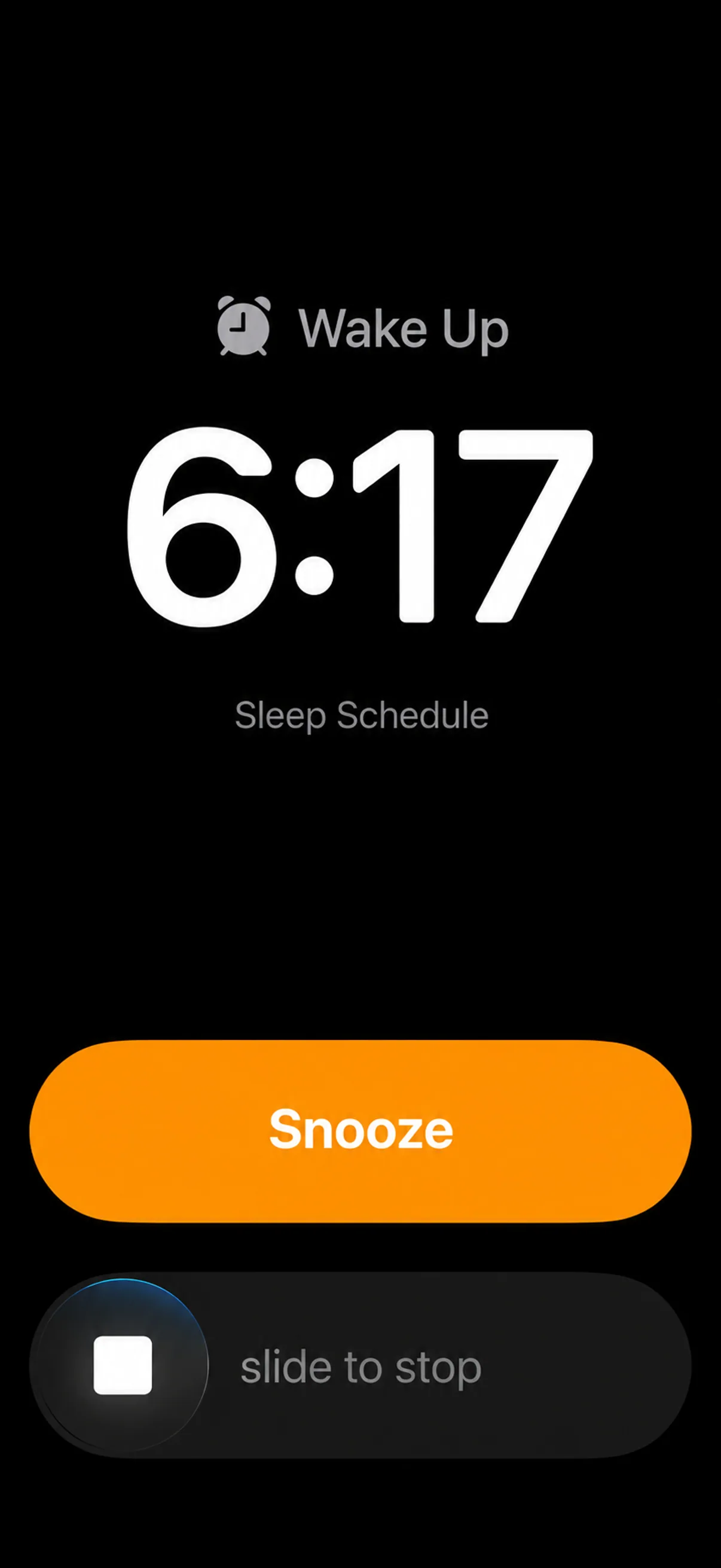
1It rings like any alarm
Pick a suggestion, tap Set wake-up alarm, and that is the whole job.
On iPhone, AlarmKit rings it on the Lock Screen, labeled Sleep Schedule, with Snooze and slide to stop.
One alarm at a time, so nothing stale rings.
Android · Clock app
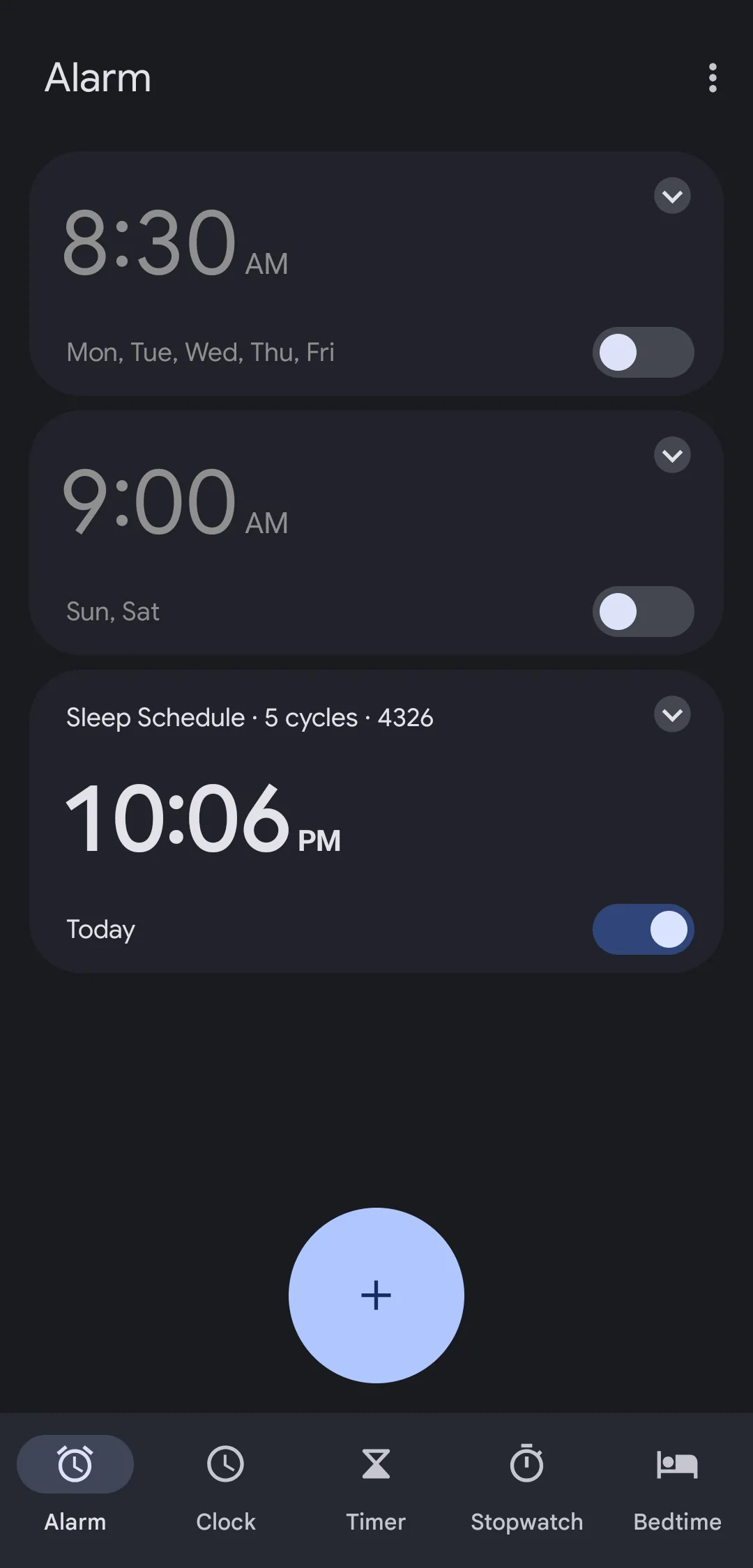
2It lives with your other alarms
On Android the same tap adds it to your Clock app, switched on for today.
Labeled Sleep Schedule, so you know where it came from.
No Clock app? Sleep Schedule rings it itself.
↺ Changed your mind? Tap Cancel on the banner in the app and the alarm is gone from your phone too.
iPhone · Settings
04 · Make it yours
Small settings. Better plans.
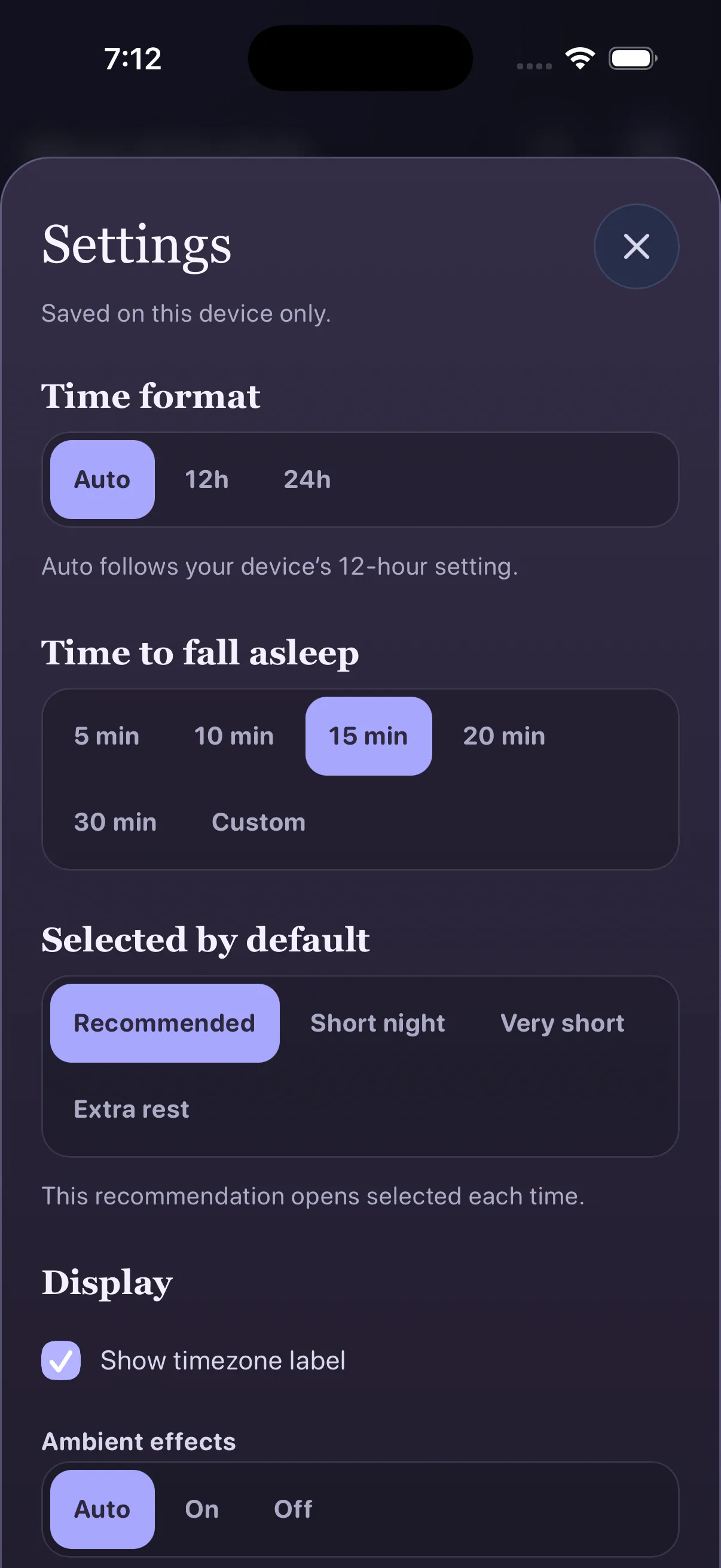
A few choices shape every suggestion. Set them once and the planner opens ready for you each night. Everything here is saved on this device only.
Time formatAuto, 12h, or 24h. Auto follows your device’s 12-hour setting.
Time to fall asleep5, 10, 15, 20, or 30 minutes, or a custom number from 0 to 60. Every suggestion includes it.
Selected by defaultRecommended, Short night, Very short, or Extra rest opens selected each time.
Timezone labelShow or hide the timezone under the local time.
Ambient effectsThe slow glow across the sky: Auto, On, or Off. Auto follows Reduce Motion.
Reset to defaultsOne tap, with a confirmation. Defaults: 90-minute cycles, 15 minutes to fall asleep, Recommended selected.
05 · Try it
Try it right here.
Enter the time you need to be up, or switch to Sleep now, and compare the suggestions. Change how long you take to fall asleep and every time moves with it.



 2It lives with your other alarms